

Authentication
The Agora Public API uses a two-step authentication model: a long-lived API key issued to your organization, exchanged at request time for a short-lived session JWT that you attach to every subsequent call.
Public endpoints (metrics) remain unauthenticated; everything else requires a valid session JWT.
Create and manage API keys
API key management is limited to Owners and Admins. The page is hidden from every other role.
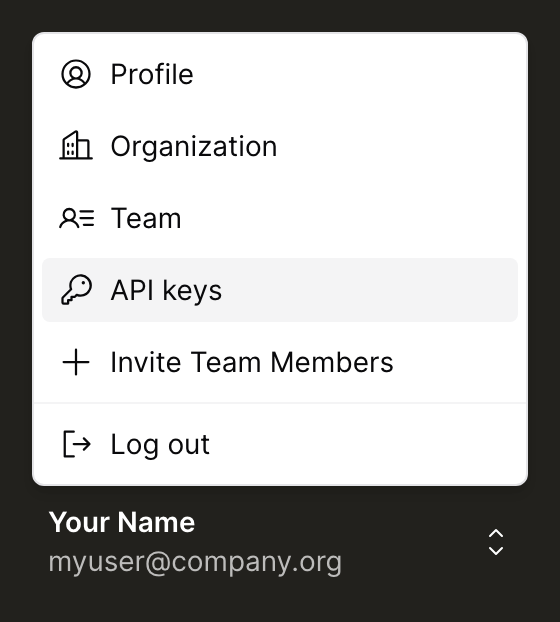
In the Agora dashboard, click your name and email at the bottom of the left sidebar to open the account menu, then select API keys.
The page lists your organization’s keys with their roles, status, who created them, and when each was last exchanged for a JWT.
Create a key
Creating a key asks for a name and the roles the key should carry. Grant only the roles the integration needs. You can’t give a key a role above your own.
The secret is shown once. Copy it before closing the dialog: it isn’t stored and can’t be retrieved again.
Keys created outside the dashboard, such as ones issued before self-serve management, no longer authenticate. Create a replacement from the dashboard.
Manage existing keys
Once a key is created and its secret stored safely, the actions on the API keys page let you take that key out of service or retire it for good.
Pause blocks a key without destroying it. New exchanges fail, and already-issued session JWTs stop working immediately rather than running out their 15 minutes. Resume restores it.
Revoke is permanent and equally immediate. A revoked key can’t be reinstated, so issue a new one if the integration still needs access.
Pausing or resuming a key needs your role to be at least the highest role that key carries. Revoking is restricted to Owners.
Exchange the API key for a session JWT
Send a POST /v0/auth/token request with your API key in the Authorization header. No request body is needed.
The response returns a sessionJwt:
The JWT is valid for 15 minutes. The TTL is fixed and not echoed in the response, so your client should track expiry locally (or just re-exchange on any 401 with reason: "token_expired").
Make authenticated requests
Attach the session JWT as a bearer token on every authenticated endpoint:
A single JWT can be used across multiple requests until it expires. Re-exchanging on every request is unnecessary and will consume your exchange quota faster than intended.
Refresh before expiry
There is no refresh-token endpoint. To extend a session, call POST /v0/auth/token again with the same API key — the previous JWT remains valid until its own expiry, so you can roll over without dropping in-flight requests.
A reasonable client pattern: exchange once at startup, cache the JWT, refresh ~60 seconds before the 15-minute expiry, and retry once on a 401 if the cached JWT was used past its lifetime.
Error responses
Authentication failures return 401 unauthorized with a context.reason naming the specific cause, so you can branch without parsing message:
Authorization failures return 403 forbidden when the JWT is valid but your organization doesn’t have permission for the requested action. Contact the Agora team if you believe your account should have access. See the Error Reference for the full code and reason list.
Operational notes
- Public endpoints stay unauthenticated.
/v0/metrics,/v0/metrics/total-supply, and/v0/metrics/circulating-supplycontinue to work without a JWT. The CORS policy on those endpoints also remains permissive. - Every response carries a
Request-Idheader. Capture it; it’s how Agora support traces a specific request end-to-end, including auth failures. - Rate limits are enforced at the Cloudflare edge and apply equally to authenticated and unauthenticated requests. Triggered limits return
429 rate_limit_exceededwith aRetry-Afterheader. See the Error Reference for the full code list.